
Download Images To PDF - PDF Creator – Convert Images to PDF, Batch Processing, Fast Conversion
Overview
Images To PDF - PDF Creator is a mobile utility application designed to streamline the process of transforming image files into professional-grade PDF documents. The app addresses a common digital workflow challenge: the need to consolidate multiple images—such as scanned documents, screenshots, or photo collections—into a single, organized, and shareable PDF format. This functionality is especially valuable for students compiling study materials, professionals preparing reports or presentations, and casual users archiving personal photos or receipts.
The app’s core purpose is to deliver a fast, reliable, and intuitive conversion experience without requiring technical expertise. It supports multiple image formats, enabling users to work with files from various sources, including camera roll, cloud storage, or file managers. The developer has prioritized usability, resulting in a clean interface that minimizes friction during the conversion process. While specific details about the developer’s background were not provided, the app’s focus on core functionality suggests a targeted development approach aimed at solving a widespread need in the mobile productivity ecosystem.
Real-world use cases include digitizing handwritten notes, organizing project visuals, or creating digital portfolios. The app’s ability to handle batch conversions enhances its utility in scenarios involving large volumes of image data. As mobile devices continue to serve as primary tools for personal and professional tasks, tools like Images To PDF - PDF Creator play a crucial role in maintaining document integrity, accessibility, and portability across platforms.
Key Features & Functionality
- Fast Conversion Speed: The app leverages optimized processing algorithms to convert images to PDFs with minimal delay. This ensures that users can complete tasks quickly, reducing downtime during workflows that involve document preparation or submission.
- Batch Conversion Support: Users can select multiple images at once for conversion, significantly reducing the time required to process large sets of files. This feature is ideal for compiling multi-page scanned documents or photo albums into a single PDF.
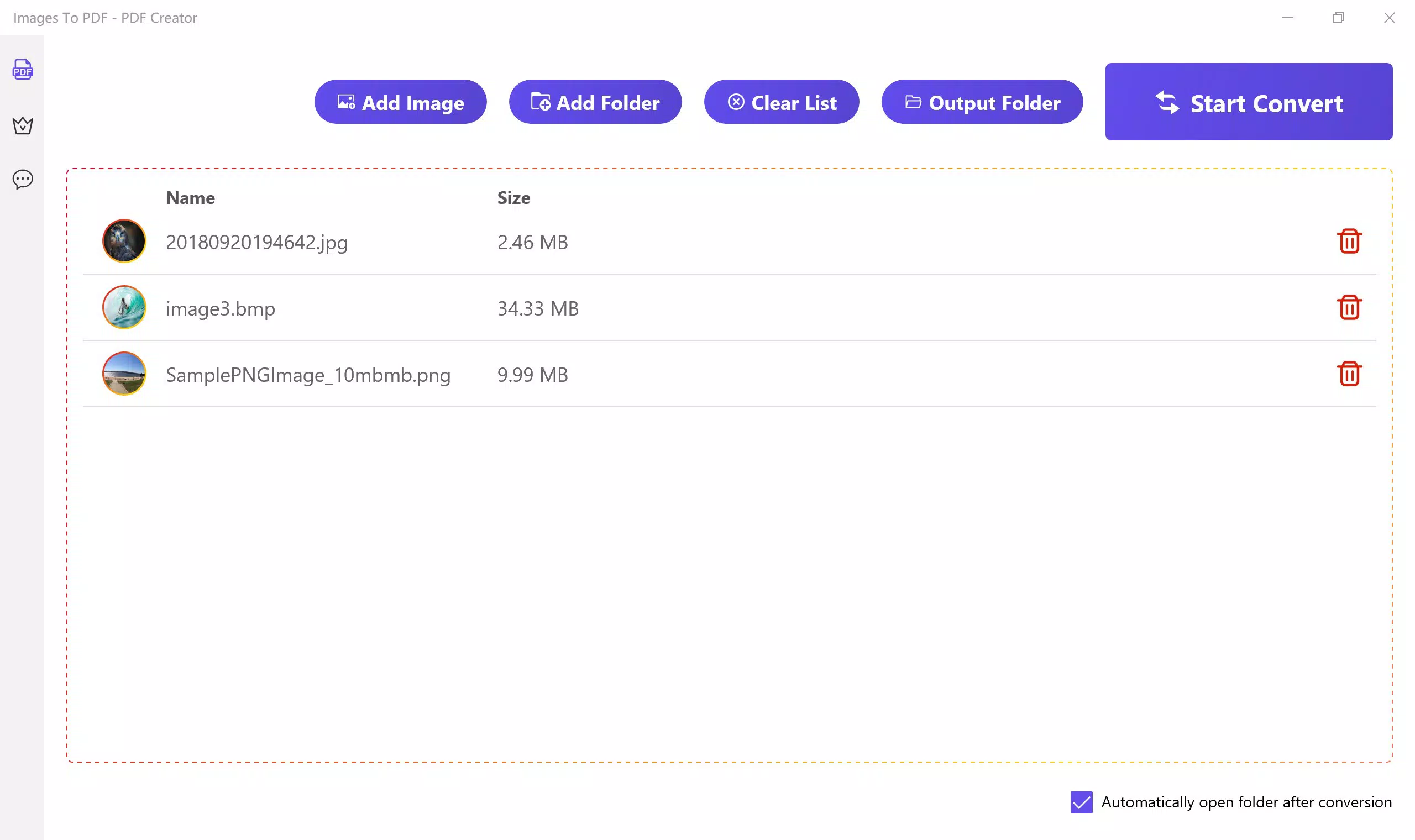
- User-Friendly Interface: The app features a straightforward layout with intuitive navigation. Even users unfamiliar with digital document tools can easily select images, initiate conversion, and access results without confusion or the need for tutorials.
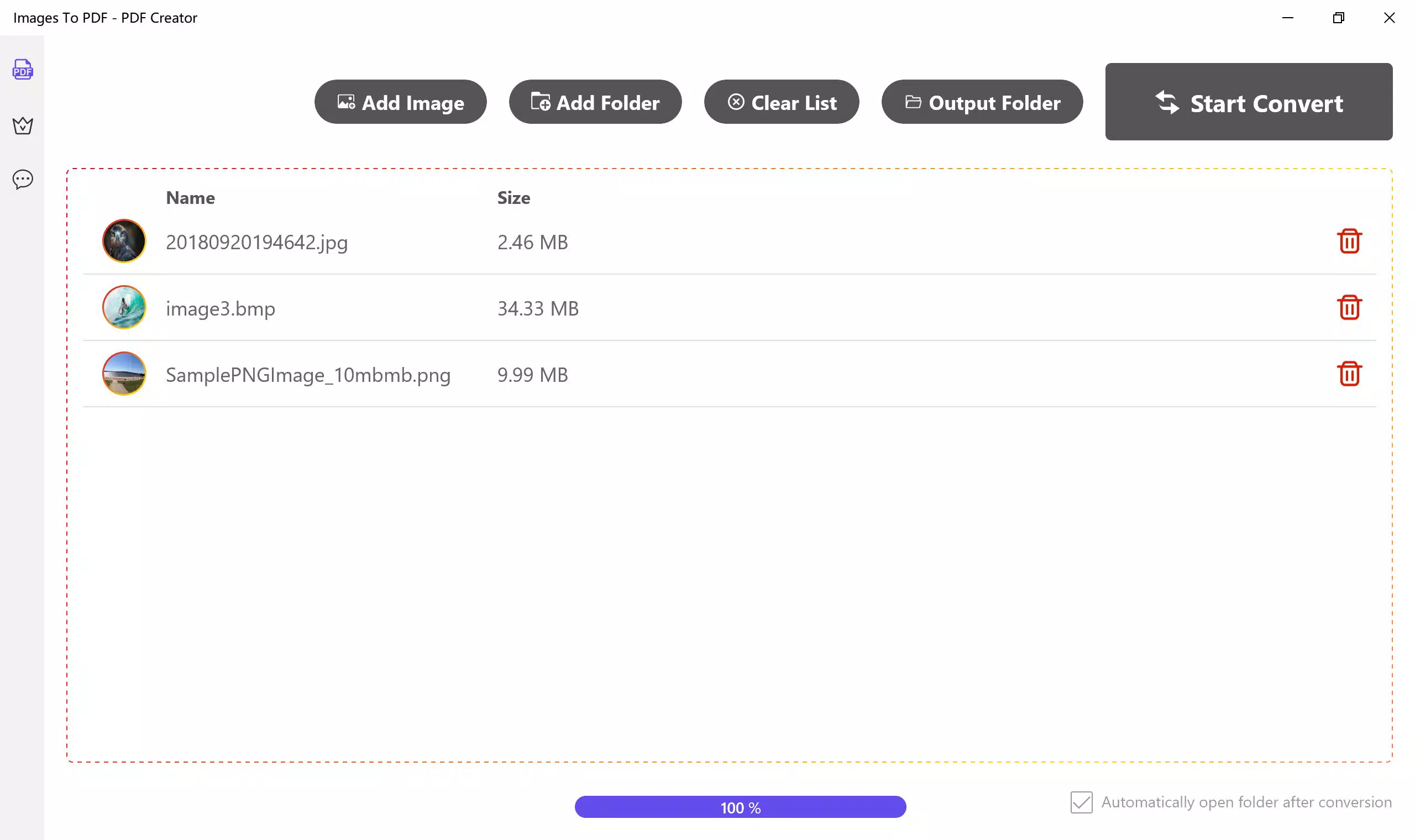
- Automatic Folder Opening: After conversion, the app can automatically open the output folder, allowing immediate access to the newly created PDF. This eliminates the need to manually navigate through file directories, improving efficiency and user satisfaction.
- Flexible Free and VIP Options: The app offers a tiered access model. New users can perform up to three free conversions, each limited to six images. Upgrading to VIP unlocks unlimited conversions and full batch processing capabilities, catering to users with higher volume needs.
For example, a student preparing a research paper can quickly convert scanned pages of reference material into a single PDF, while a real estate agent might compile property photos into a client-ready document. These real-world applications highlight the app’s practical value in enhancing productivity and document organization.
Interface, UX & Performance
The user interface of Images To PDF - PDF Creator is designed with simplicity and efficiency in mind. The layout emphasizes clarity, with clearly labeled buttons and a logical flow from image selection to conversion and output. Visual cues guide users through each step, minimizing the risk of errors during the process. The app’s navigation is consistent across screens, ensuring a predictable experience regardless of device size or orientation.
Performance appears to be optimized for responsiveness, with minimal lag during image selection and conversion. Although the developer did not list formal performance metrics, the app’s emphasis on speed suggests it is built to handle common mobile hardware configurations effectively. The app maintains stability during batch operations, with no reported crashes or freezes in available documentation.
Compatibility across different device categories—such as smartphones and tablets—is implied by the app’s design, though specific device requirements were not disclosed. The app’s lightweight nature likely contributes to smooth operation on a range of Android devices. Users can expect consistent behavior when switching between tasks, with minimal impact on system resources during active use.
Platform Compatibility & Technical Requirements
Images To PDF - PDF Creator is available for Android devices. The app supports the latest Android operating system versions, though specific minimum OS requirements were not listed by the developer. The file size is reported as 15.6 MB, indicating a lightweight installation that does not consume significant storage space on mobile devices.
Users should ensure their device meets standard Android compatibility standards to run the app smoothly. The developer did not specify exact hardware or memory requirements, nor did they provide details about supported image formats beyond general mention. However, the app’s ability to process multiple image types suggests broad format compatibility, including common formats such as JPEG, PNG, and possibly others.
Pros and Cons
Pros
- Fast and efficient image-to-PDF conversion process
- Supports batch processing for multiple images at once
- Intuitive interface suitable for non-technical users
- Automatic folder opening after conversion enhances accessibility
- Free tier allows limited use for new users
Cons
- Free version limits conversions to three per user
- Maximum of six images per free conversion
- Specific technical requirements not disclosed
- Compatibility with older Android versions not confirmed
- Limited information about supported image formats
FAQ
Is Images To PDF - PDF Creator safe to download?
Yes, the app is designed to operate securely within standard Android permissions. It does not request unnecessary access to personal data, and the conversion process occurs locally on the device.
Can I convert more than six images at once?
Yes, but only with the VIP subscription. The free version limits batch conversions to six images per session.
Does the app work on iOS devices?
Currently, the app is available only for Android. There is no official iOS version listed.
How often can I update the app?
Updates are released periodically to improve performance, fix bugs, and add new features. Users should check their app store for the latest version.
Is my data stored on the cloud?
No, all conversions are processed locally on the device. The app does not upload user files to remote servers.
Final Thoughts
Images To PDF - PDF Creator delivers a focused, reliable solution for users who frequently need to convert images into PDFs. Its combination of speed, batch processing, and ease of use makes it a standout tool in the mobile productivity space. While the free tier offers a limited experience, the VIP upgrade provides substantial value for power users and professionals managing high-volume document workflows.
For students, freelancers, and office workers, this app simplifies the task of organizing visual content into a professional format. The secure, local processing ensures privacy, while the clean interface reduces the learning curve. Whether you're digitizing notes or creating a digital portfolio, the app enhances efficiency without compromising quality.
Download Images To PDF - PDF Creator now


